
Stepper Motor Driver Communication Error Troubleshooting Guide
The communication error reported by the stepper motor driver can typically be attributed to various reasons, such as hardware, software, or environmental factors. The following are the common causes and troubleshooting steps of the communication errors reported by the stepper motor driver. 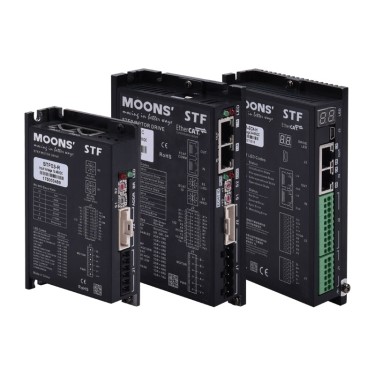
By following the above steps systematically, most communication error issues with stepper motor drivers can typically be identified and resolved. If the issue persists, it is recommended to contact the driver manufacturer for technical support.
1. Hardware connection problem
1) Loose or damaged cables - Check if the signal cables (e.g., RS-485, CAN, EtherCAT) are securely plugged in, and whether the interfaces are oxidized or have poor contact. - Verify whether the cables are broken, short-circuited, or worn, especially in device that undergo frequent movement. 2) The cable type or length does not match - If the communication cable is too long (such as exceeding the 1200-meter limit of RS-485), the signal may degrade. In this case, shorten the cable length or use a repeater. - If shielded twisted pair cables are not used, the system's resistance to interference will be insufficient. It is recommended to replace them with shielded, dedicated communication cables. 3) Missing terminal resistors (specific bus protocols) - For buses such as CAN, RS-485, terminal resistors (usually 120Ω) need to be installed at both ends. Otherwise, signal reflection may occur, leading to communication issues.2. Signal Interference
1) Electromagnetic Interference (EMI) - Nearby high-power motors, inverters, or high-frequency devices may cause communication interference through power lines or space radiation. - Solutions: A. Keep communication lines separate from the power lines to avoid parallel wiring. B. Install ferrite cores on both ends of the communication cables. C. Ensure proper grounding of the equipment and use single-point grounding. 2) Power supply noise - If the power supply of the driver or controller is unstable (such as switching power supply noise). The power supply waveform can be detected by an oscilloscope. - Install a power supply filter or switch to a linear regulated power supply.3. Parameter configuration error
1) Communication parameter mismatch - Check whether the baud rate, data bit, stop bit, and parity bit (such as 8-N-1) between the driver and the controller are consistent. - Some drivers require manual setting of the slave address to confirm that there is no address conflict (such as a Modbus multi-device network). 2) Protocol selection error - Confirm that both parties are using the same communication protocol (such as Modbus RTU, CANopen, EtherCAT, etc.). - Verify whether the data frame format (such as Modbus function code) complies with the driver requirements.4. Power supply problem
1) Unstable voltage - The power supply voltage of the driver or controller exceeds the specified range (such as the 24V system voltage is lower than 20V), causing the communication chip to malfunction. - Check whether the power supply capacity is sufficient to avoid voltage drops due to sudden load changes. 2) Poor grounding - If the shielding layer of the communication cable is not grounded, or the grounding wire is too long and forms a loop, common mode interference may occur. - Ensure that all devices share a common grounded, and the grounding resistance is less than 4Ω.5. Software or firmware issues
1) The firmware version is too old - The driver firmware may have communication compatibility issues; upgrade to the latest version (refer to the manufacturer's manual). 2) Controller program error - The sent command format may be incorrect (such as Modbus CRC check error), the timeout may be set too short, or the response data may not be processed correctly. - Use debugging tools (such as serial port assistant, CANalyzer) to capture communication data and verify the correctness of the command.6. Hardware failure
1) Damage to the communication port - The communication chip of the driver or controller is damaged due to overvoltage, static electricity, etc., and the module needs to be replaced or repaired. - Check for burn marks on the port, or use a multimeter to measure the impedance of the signal line to ground. 2) Environmental factors - High temperature, humidity, or a dusty environment causes moisture and corrosion of the circuit board, requiring improvements to the equipment's operating environment.7. Suggested troubleshooting steps for stepper motor driver reporting communication errors
1) Basic inspection - Restart the system to observe if the fault occurs intermittently. - Replace the communication cable or test the interface. - Check if other devices on the same network are functioning properly to eliminate single-point failures. 2) Gradual isolation - Disconnect other devices, leaving only the driver and controller, and test the minimum system setup. - Replace the controller or driver to identify the source of the fault. 3) Tool assistance - Use an oscilloscope to detect whether the signal waveform is distorted. - Monitor data transmission through communication analysis tools (such as Wireshark, Modbus Poll).8. Preventive measures
- Regularly check the cable connector and grounding status. - Add signal repeaters or fiber converters in long-distance communication. - Configure independent metal cable ducts for communication lines, away from power lines. - Backup the correct parameter configuration file to avoid operational errors.By following the above steps systematically, most communication error issues with stepper motor drivers can typically be identified and resolved. If the issue persists, it is recommended to contact the driver manufacturer for technical support.